Getting in
Everyone works in the same app — your changes, research, and interviews are shared, so each person's work builds on the last.
- Open pc-app.muhammad25195.workers.dev
- Enter your @caravanmedia.co email.
- You'll get a one-time code and a sign-in link by email — enter the code (or click the link in the email) to get in.
If sign-in says access denied, ask Muhammad to add your email.
The whole workflow, step by step
This is a real idea — "Elder Care" — going the full distance. Do exactly this.
Add an idea
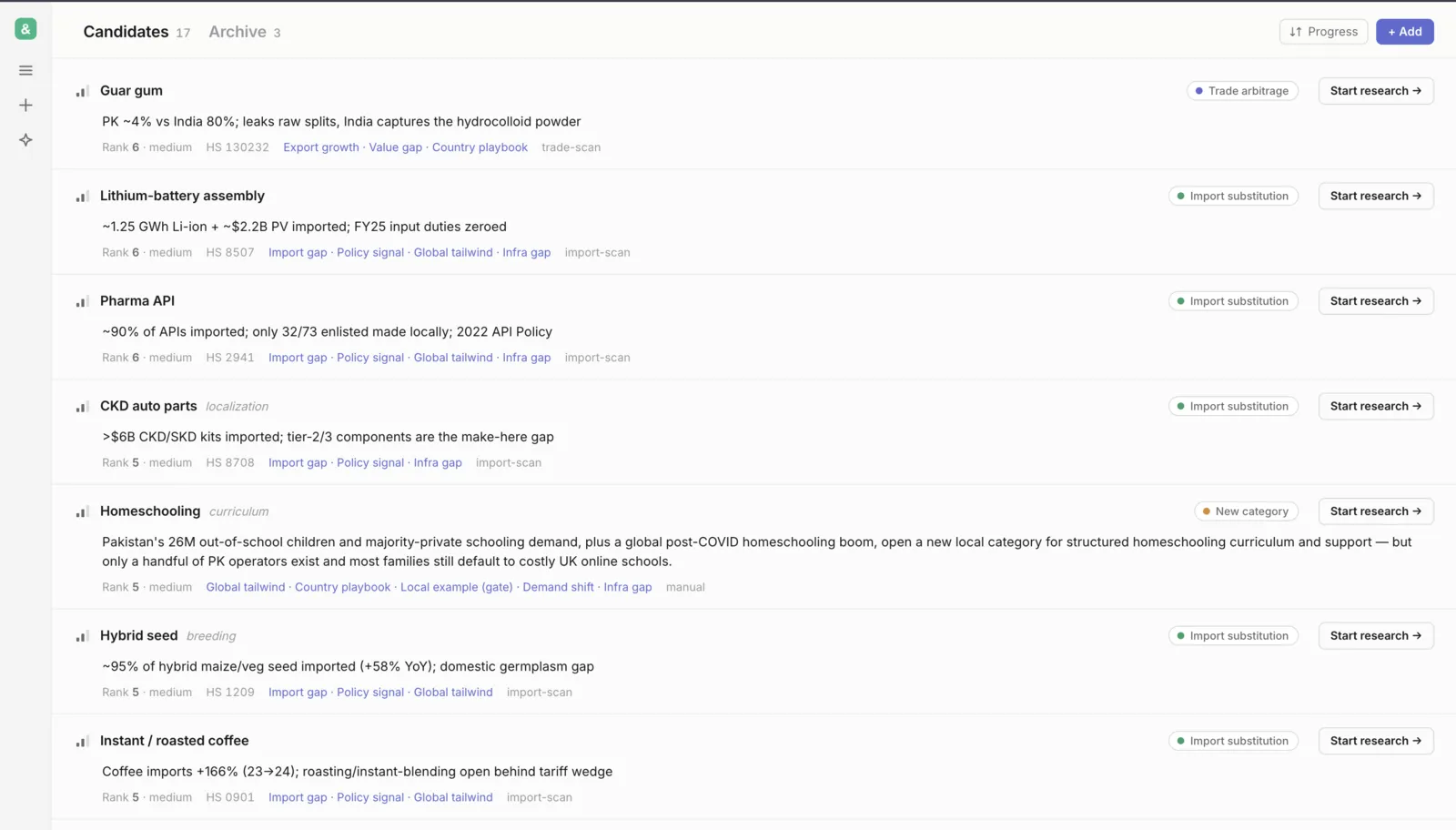
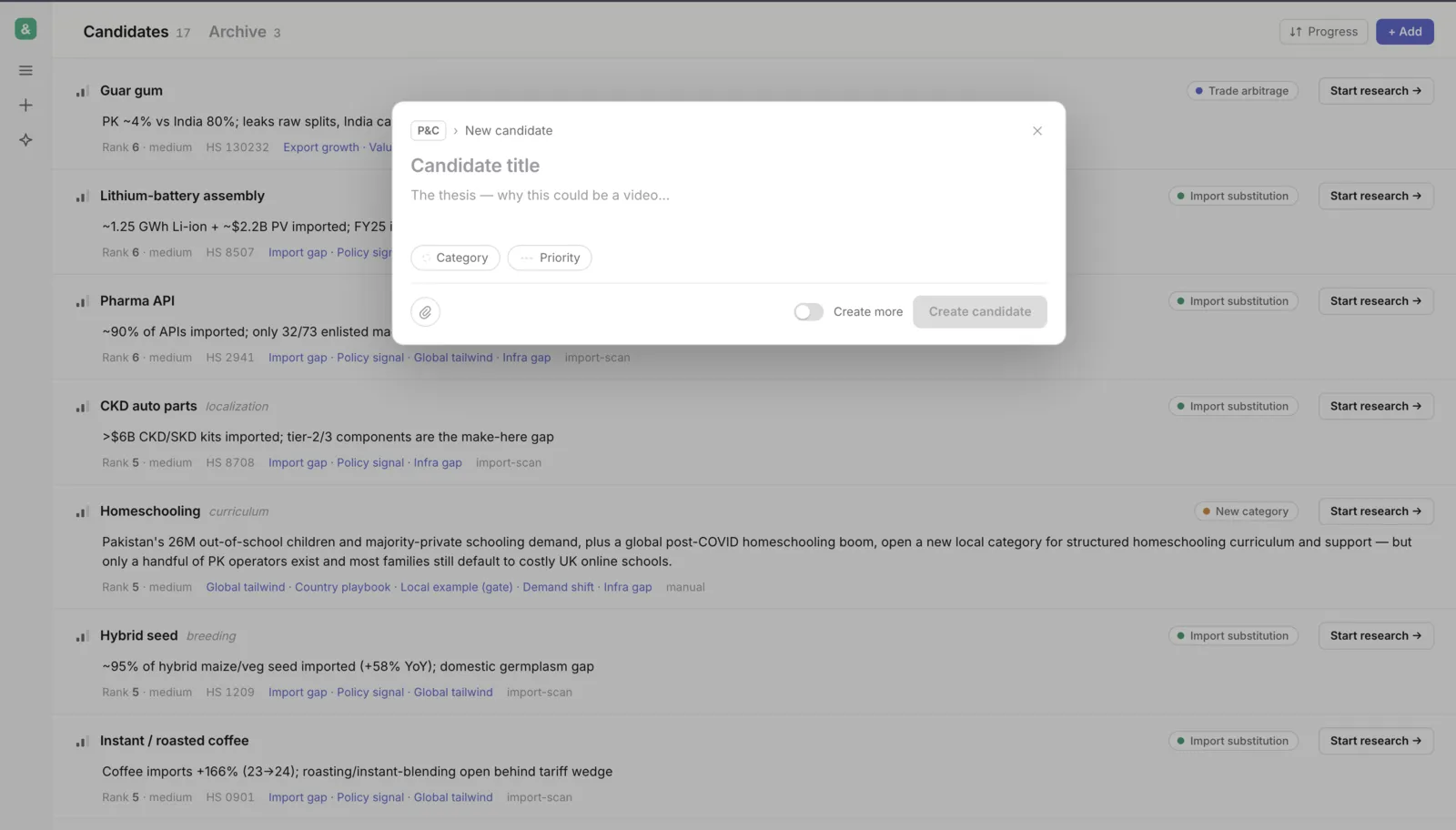
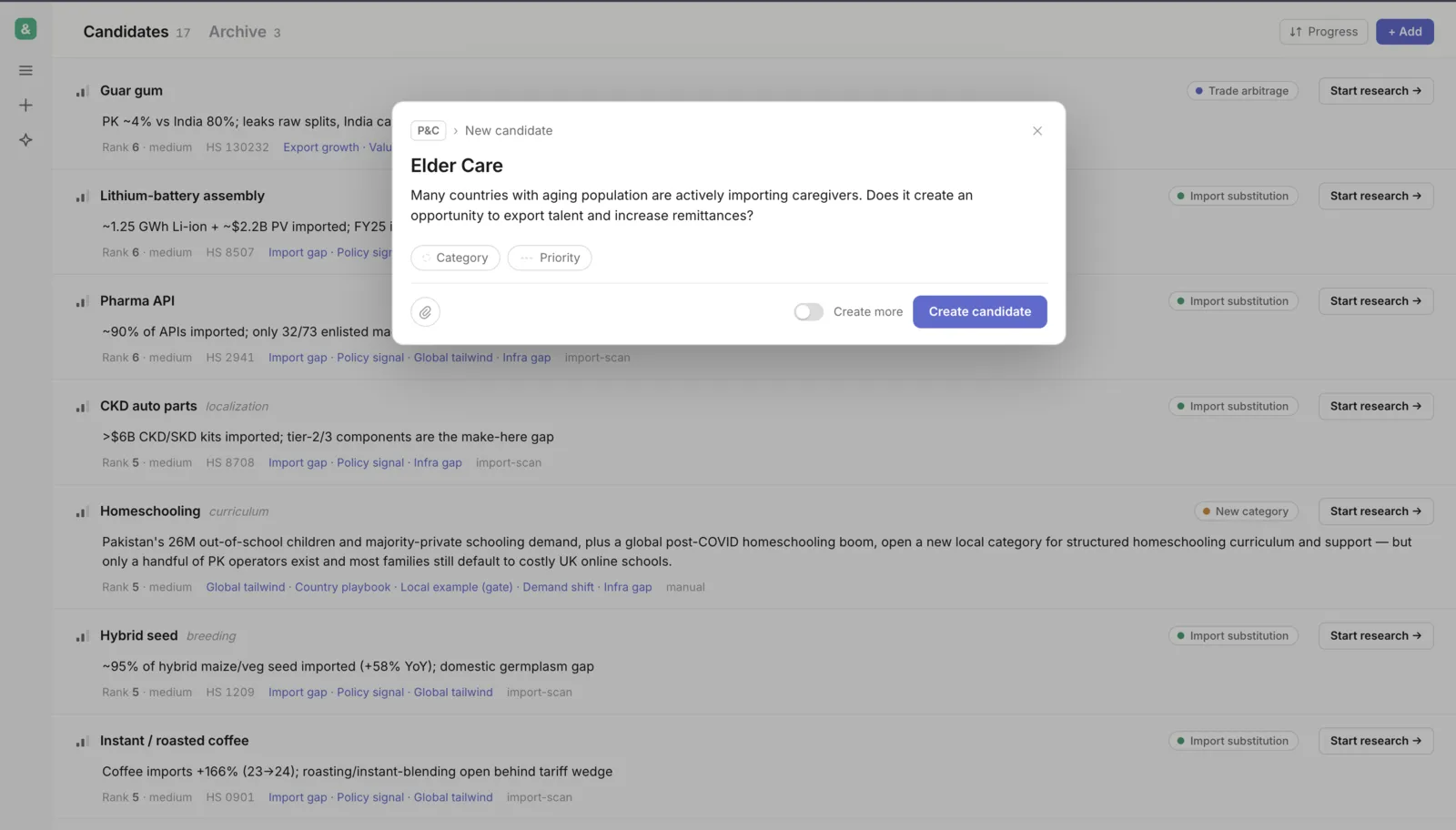
Go to the Candidates tab and click + Add. Give it a title and a one-line thesis — why this could be a video — then Create candidate.
Run deep research
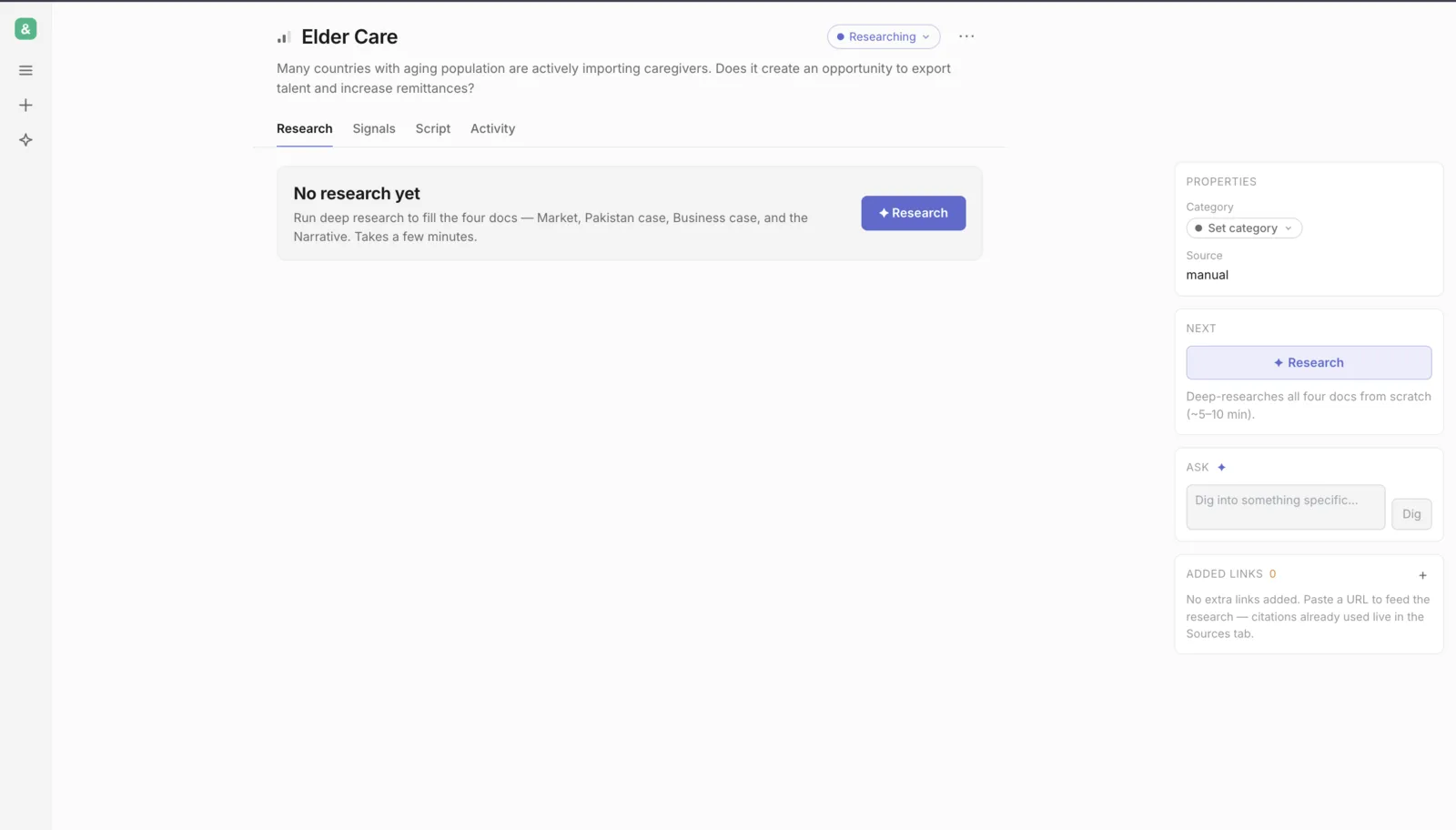
Open the idea and hit Research. It fills all four docs — Market, Pakistan case, Business case, and the Narrative — from scratch. Takes about 5–10 minutes.
Watch it work
The Activity tab streams every search and step live. It keeps running even if you close the tab — reopen the idea and it reconnects right here.
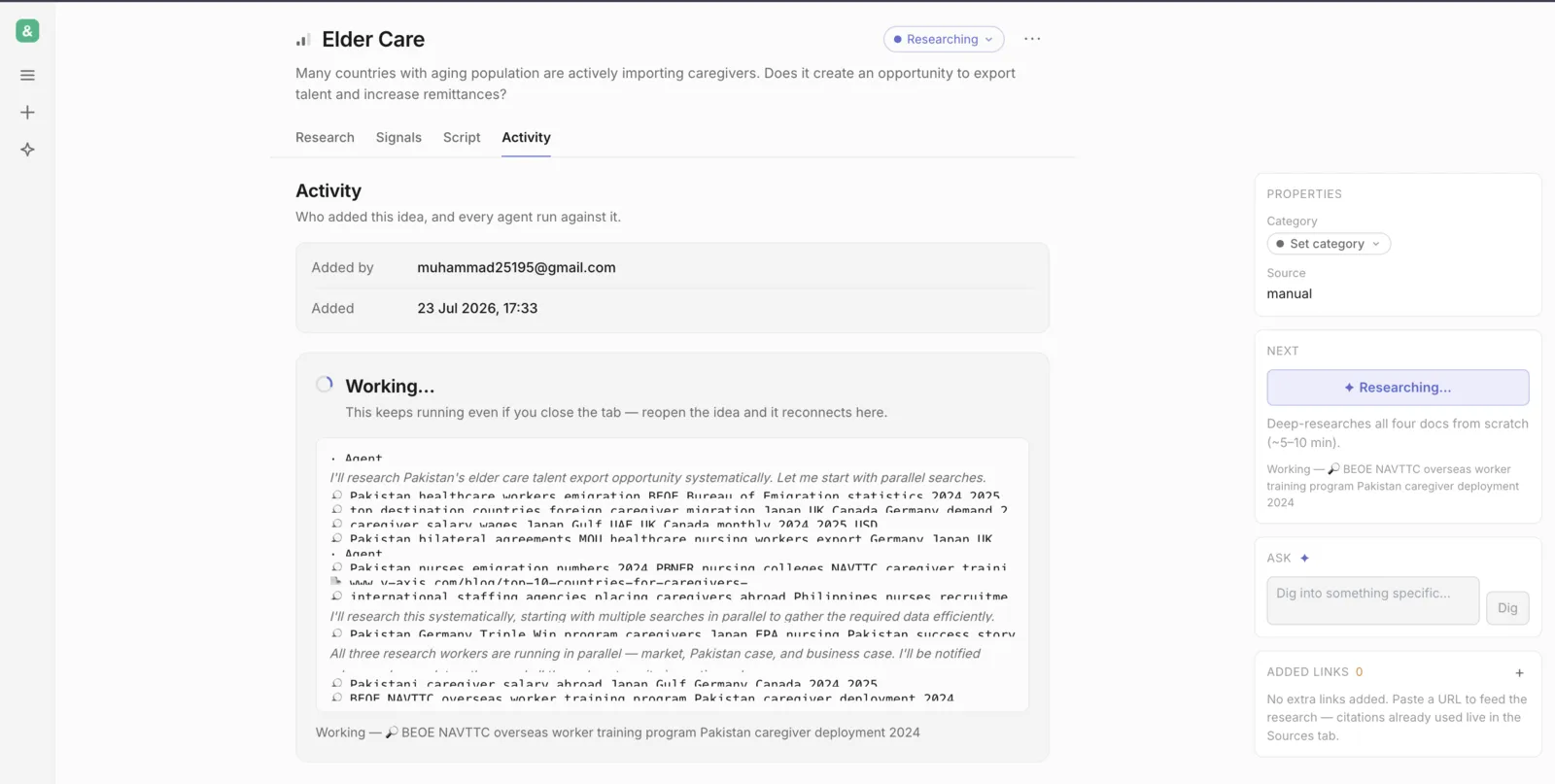
Review what it produced
When it's done you get a run summary — time, cost, and what each doc found. Then read the actual docs in the Research tab.
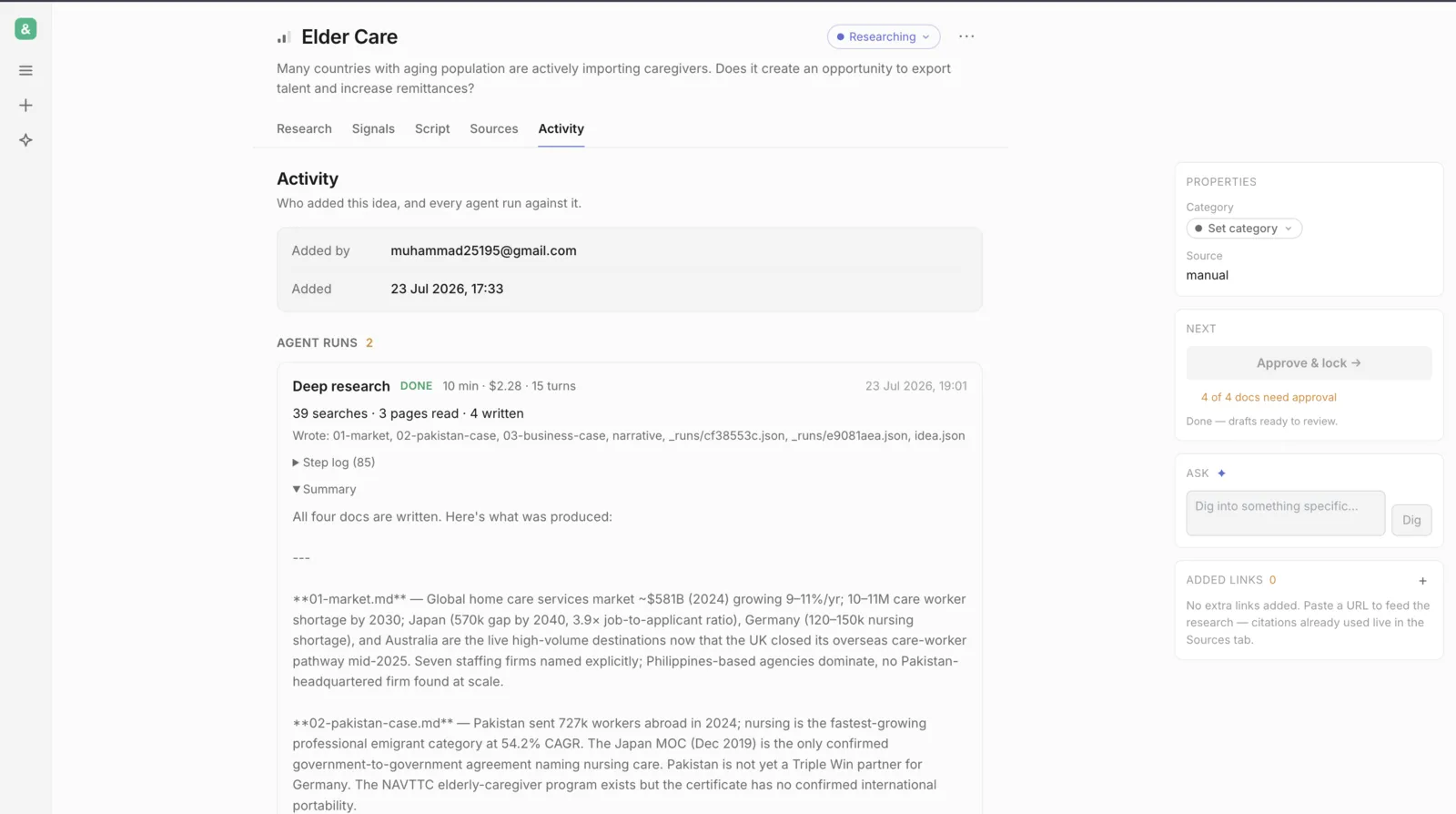
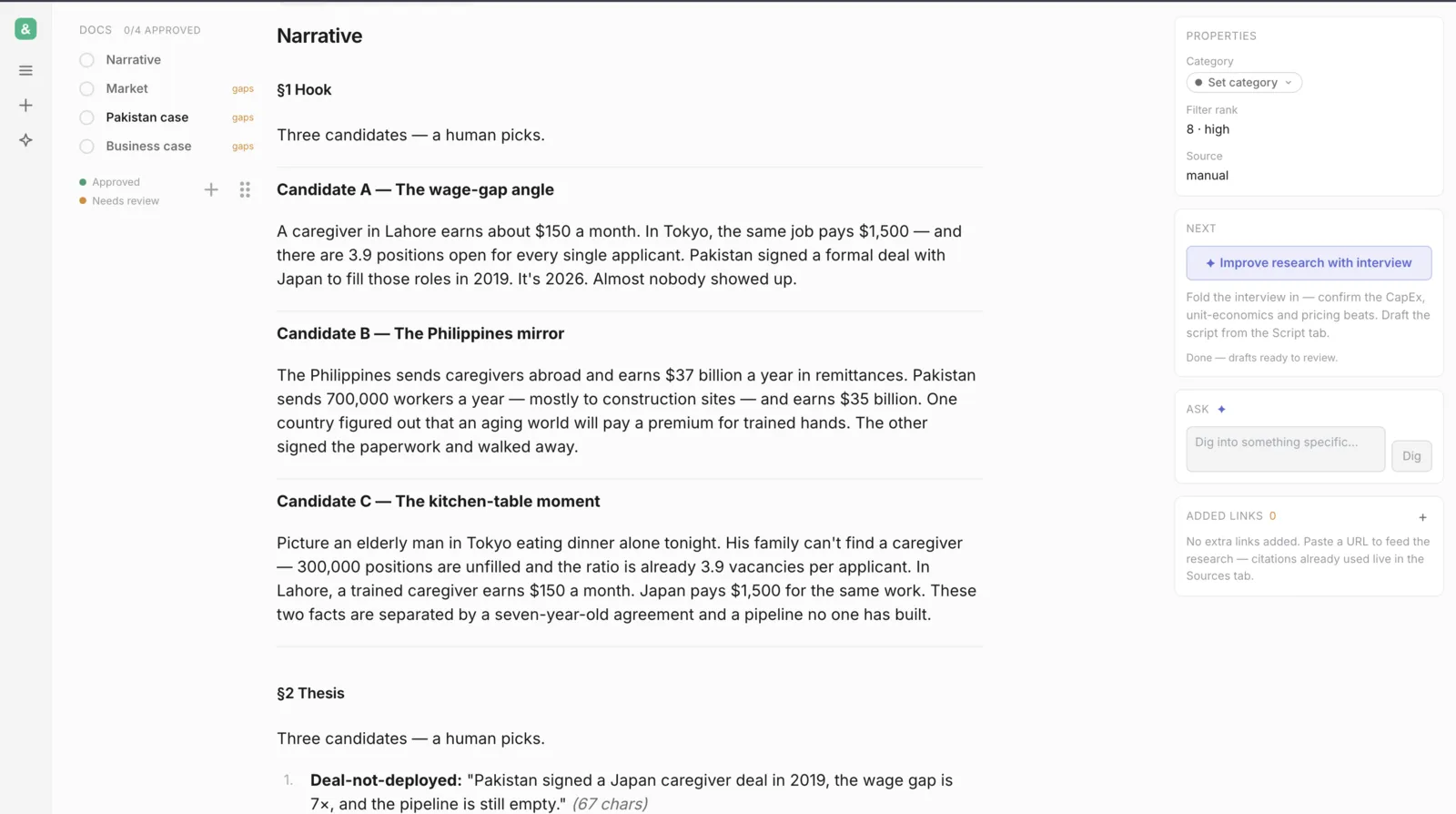
The four research docs, readable in the app. The left rail tracks approvals — you tick each doc off as you read it (that's the "0 / 4 approved" counter).
Score it (optional)
The Signals tab rates the idea against the qualification filters — a quick read on whether it's worth a video, plus the sharpest episode angle. Never blocks research; run it before or after.
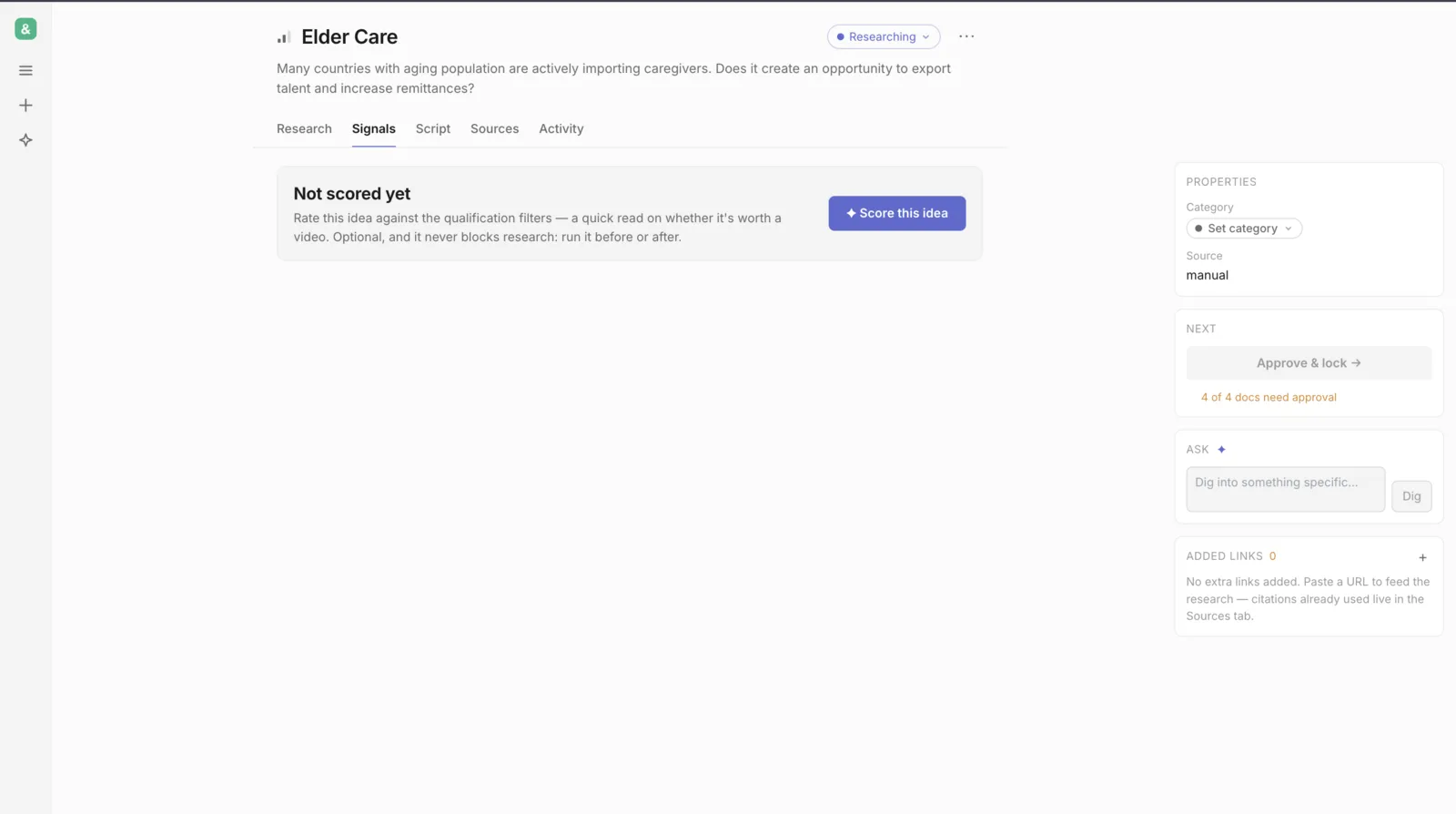
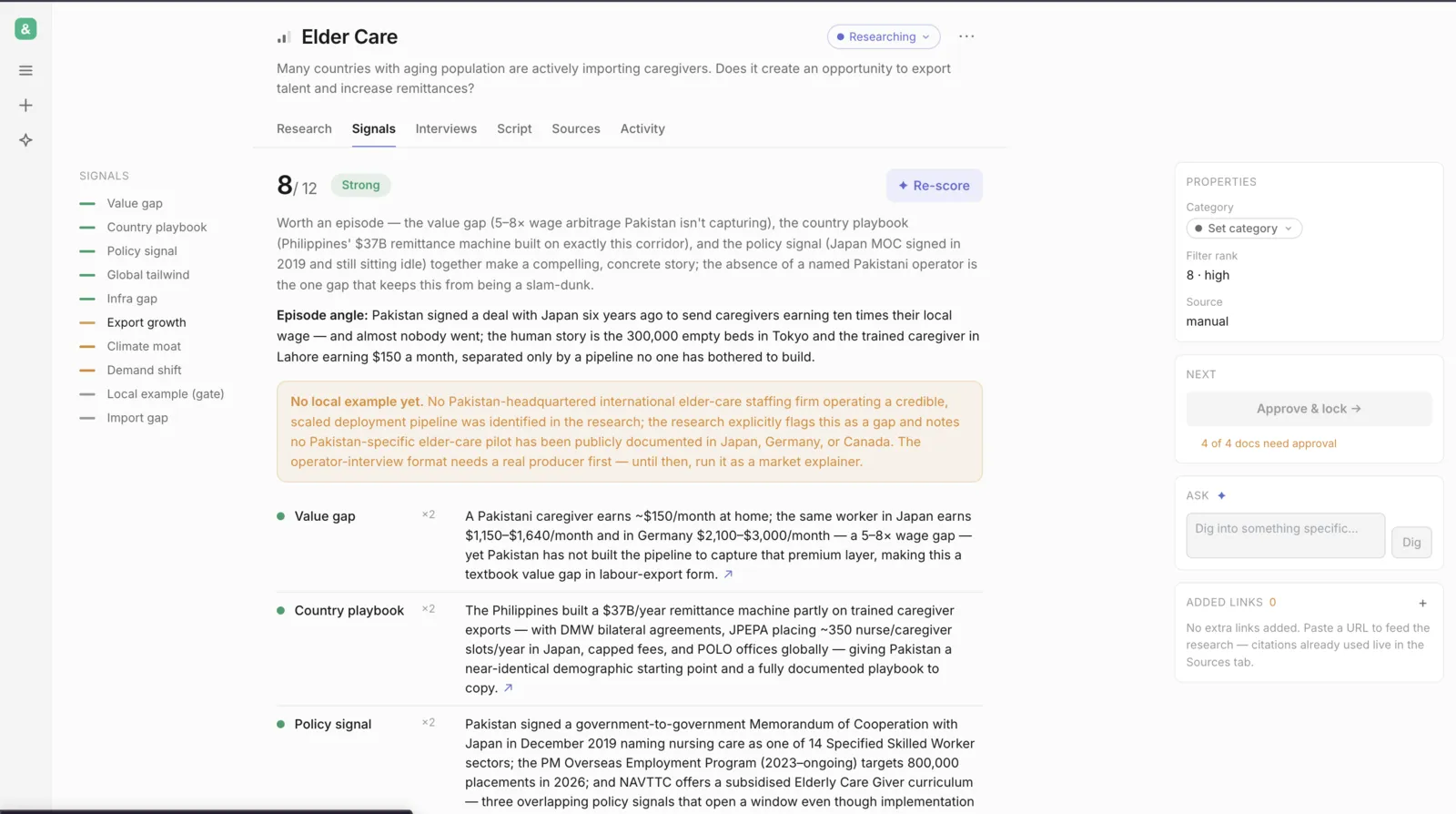
Elder Care came back 8/12 — Strong. It even names the human angle and flags the one gap (no local operator yet).
Add an operator interview
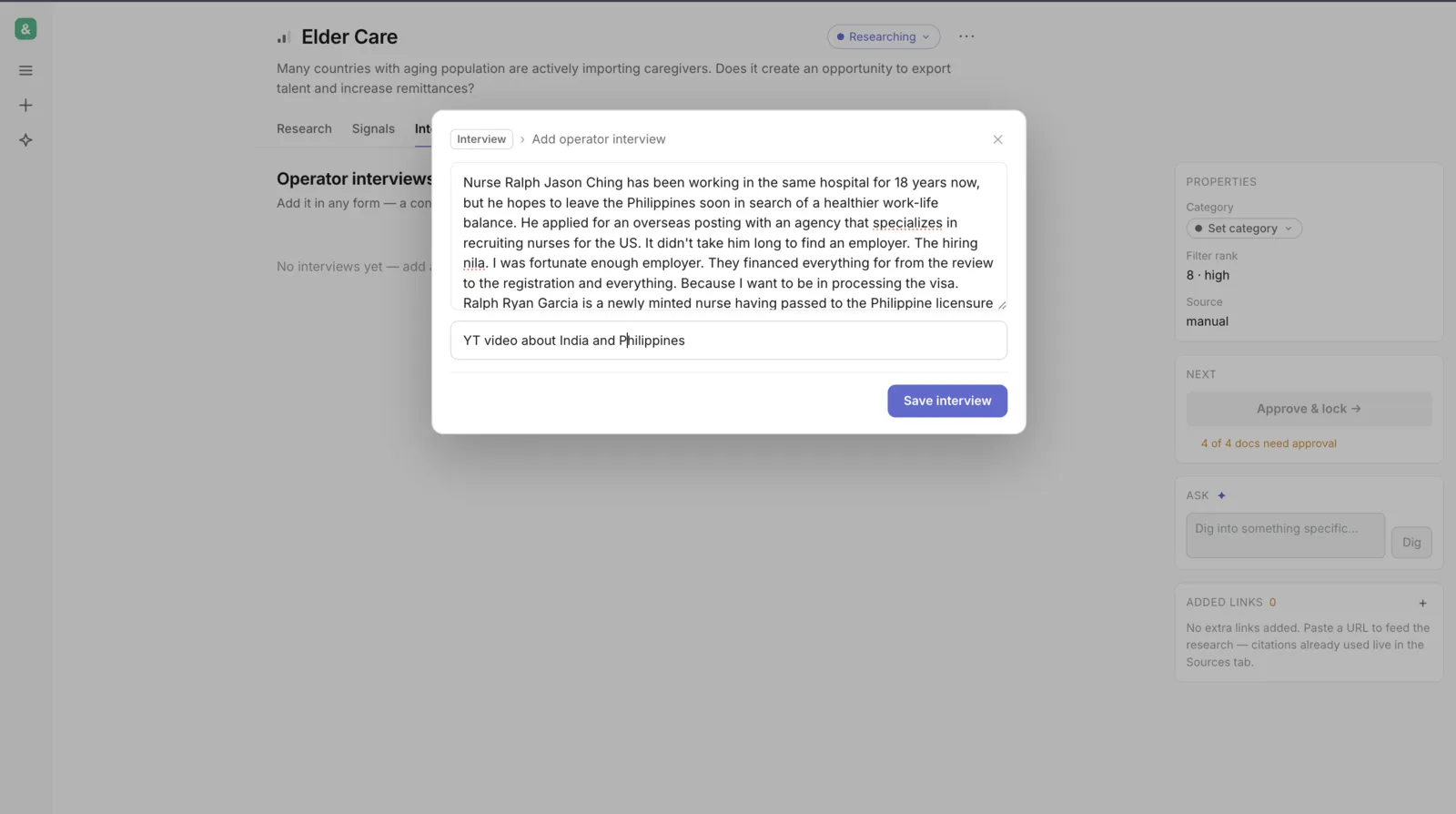
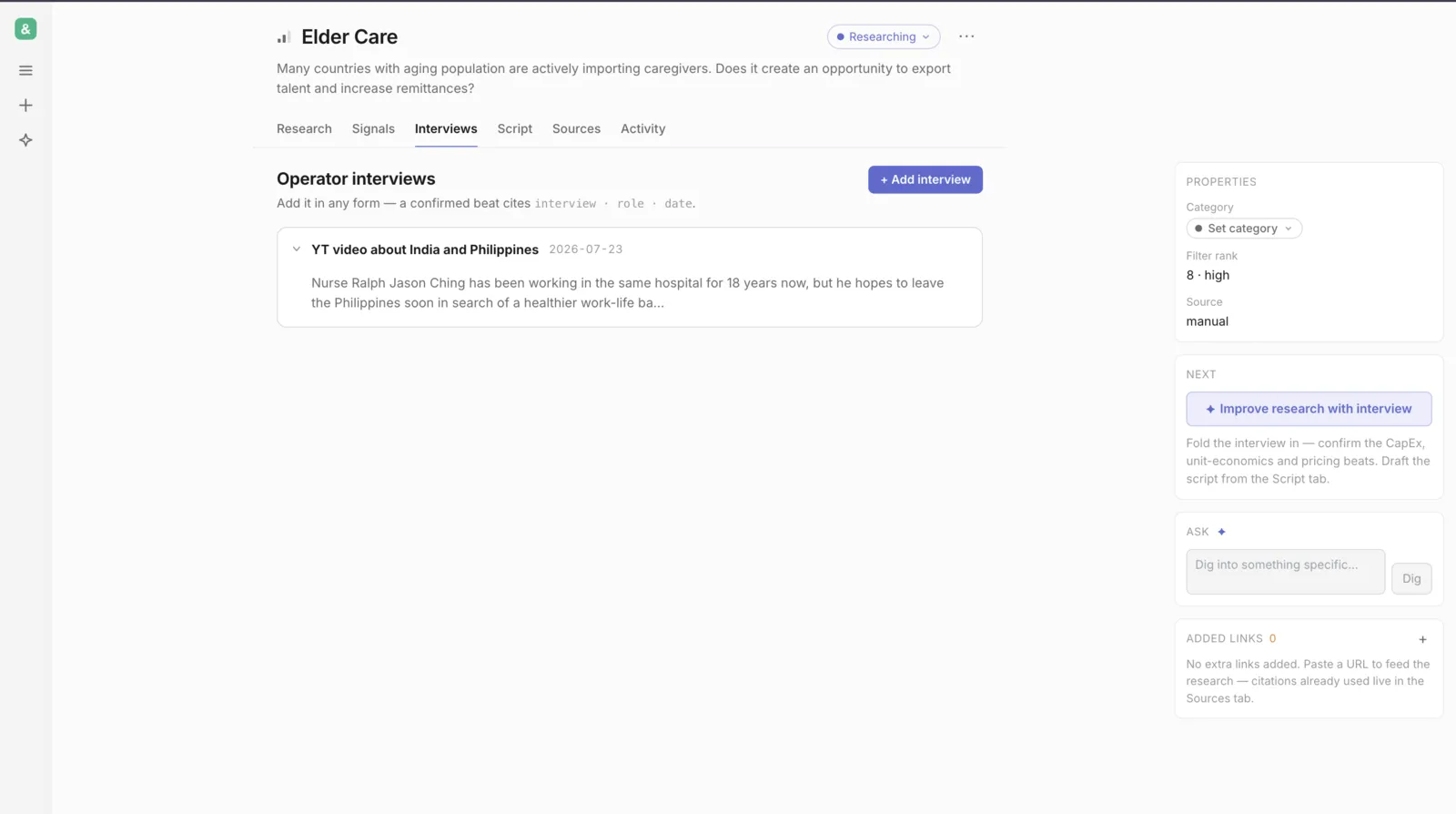
Go to Interviews → + Add and paste a transcript (or a YouTube caption). This is your first-hand source — it's what turns desk estimates into confirmed numbers.
Fold the interview in
Click Improve research with interview. It re-reads everything and confirms the money beats — CapEx, unit-economics, pricing — from what the operator actually said.
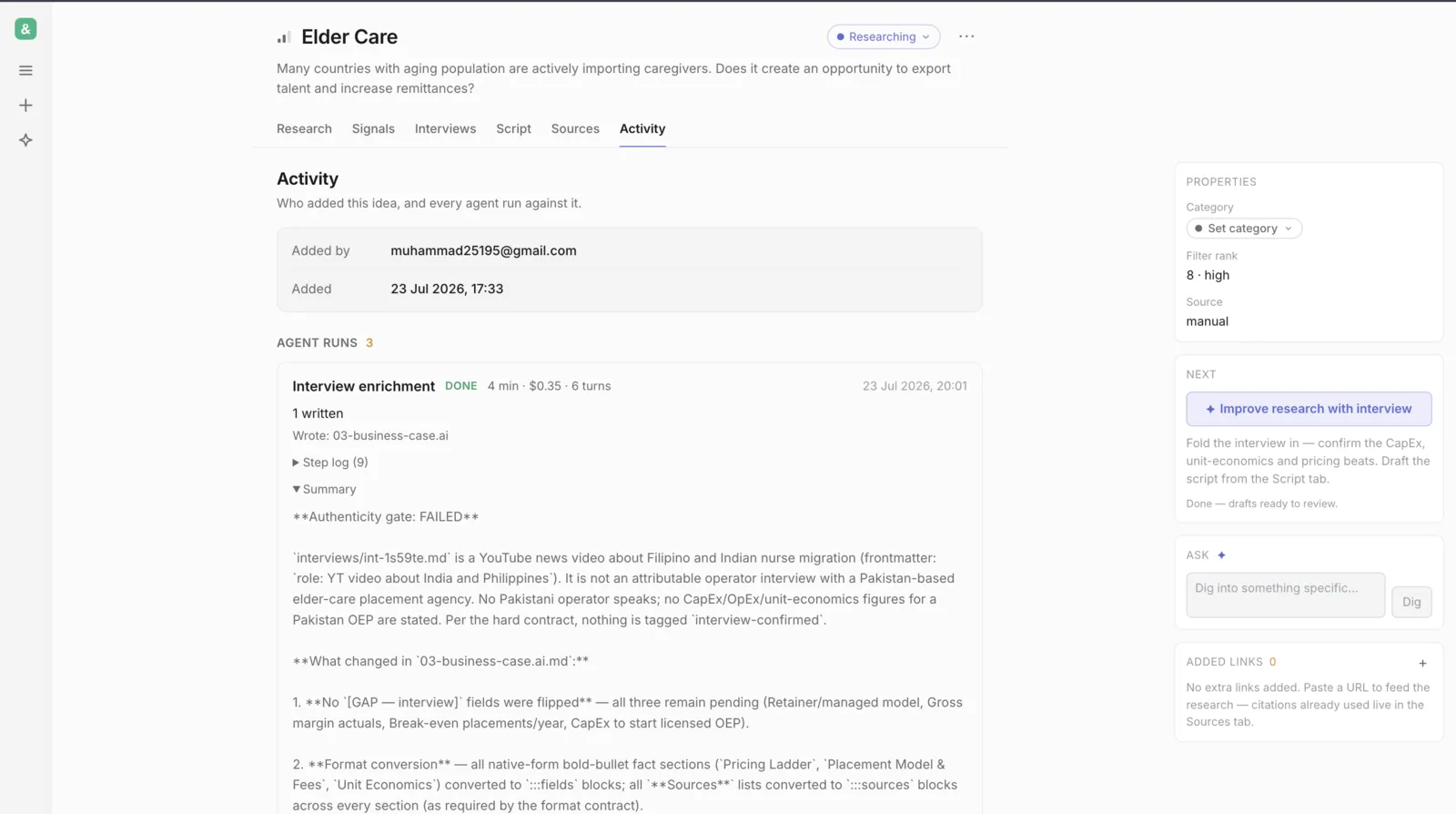
Notice it refused to confirm the money numbers here — the source was a news clip, not a real Pakistani operator, so the guardrail kept those figures as estimates. That's the "no invented numbers" rule doing its job.
Review the AI's changes
Every AI edit shows up as a red/green diff. You go change by change — Keep AI or Keep current — or Keep all / Discard all in one go. Your approved text is never overwritten silently.
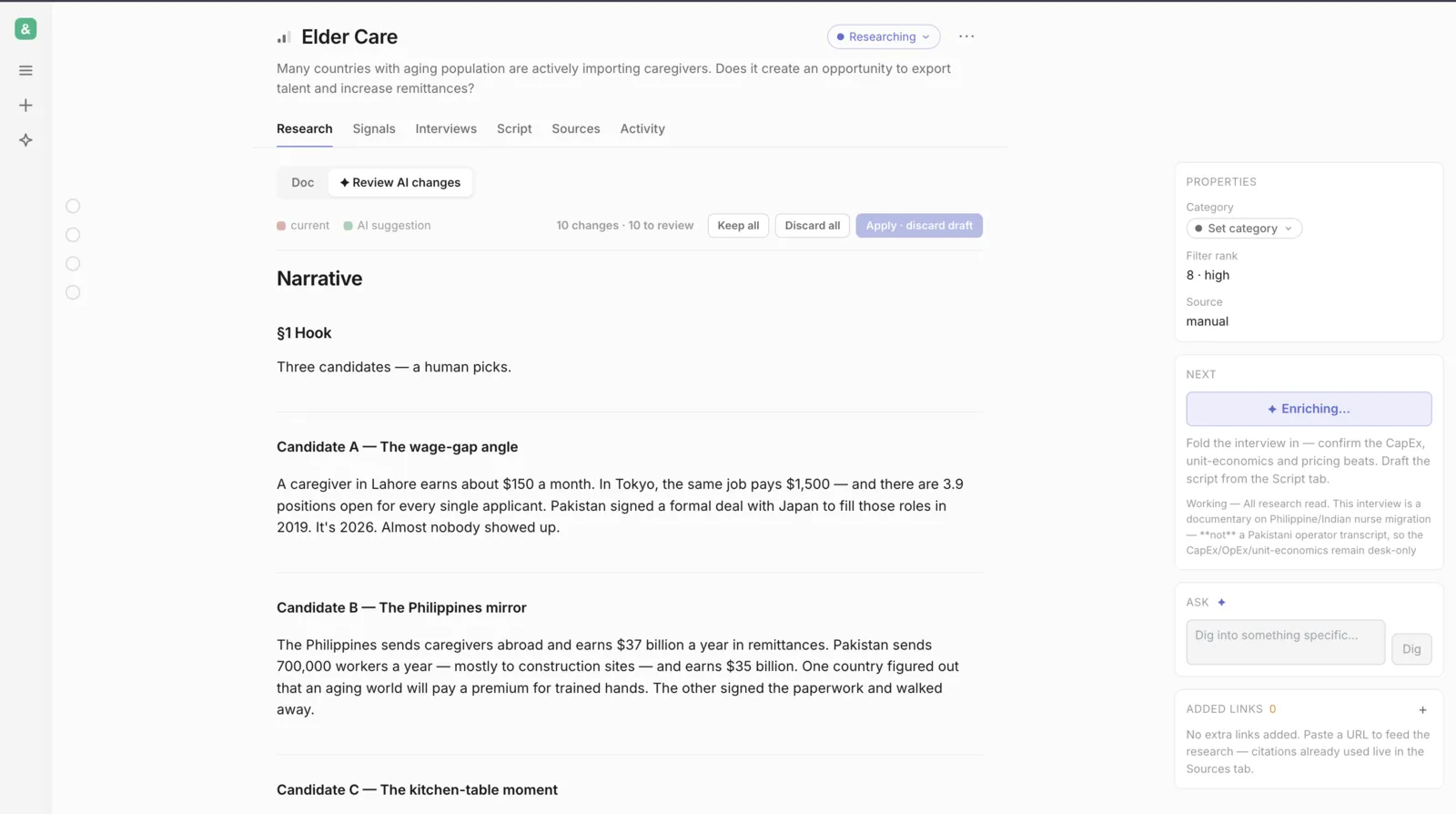
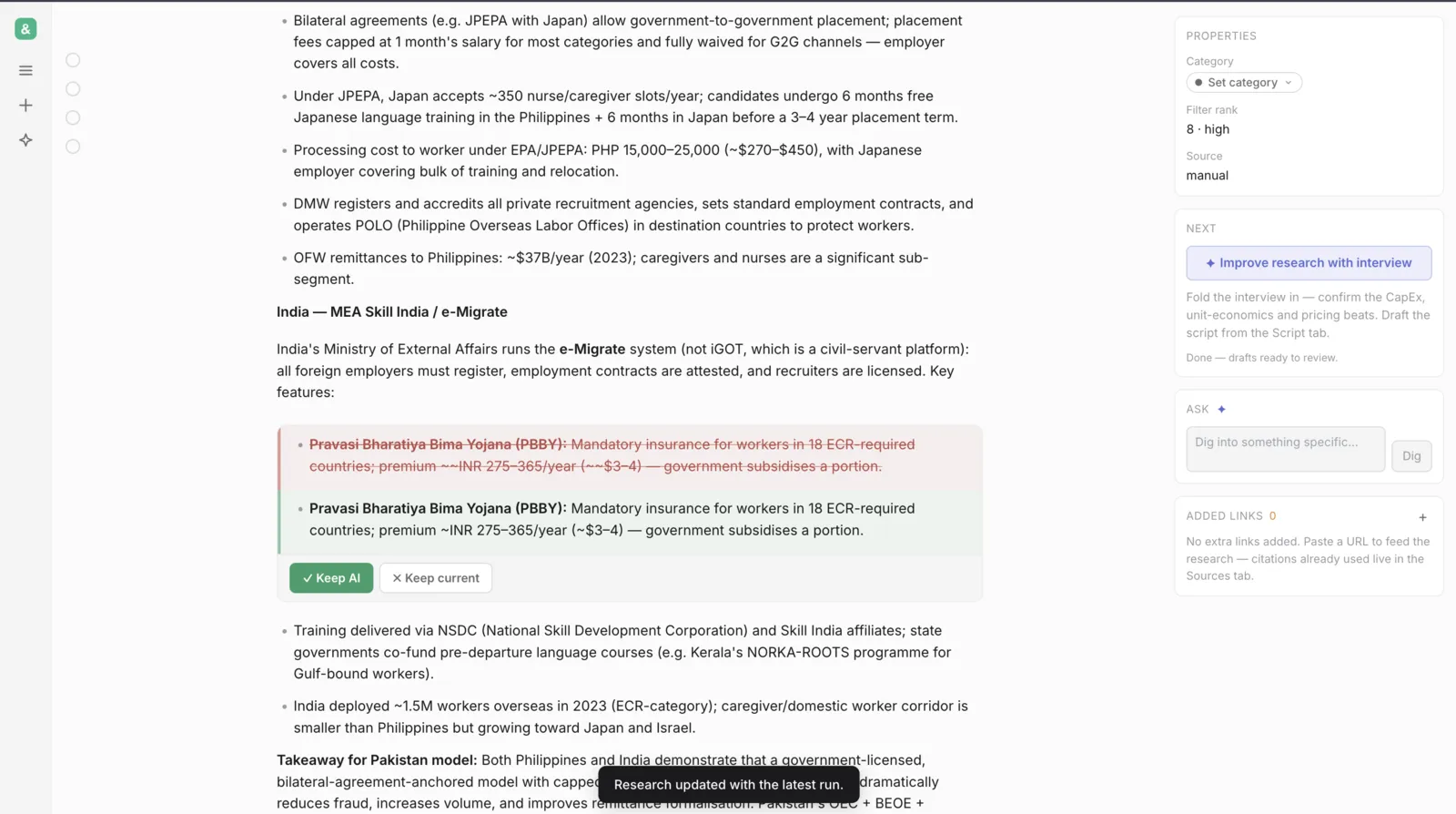
Each change is its own accept/reject — red is what's there now, green is the AI's version. Pick one, and the doc updates.
Approve, then draft the script
Once the docs look right, approve them (the rail counts 4 → 0), then open the Script tab and Draft script. It writes the episode in the host's Urdu-English voice — any number not yet operator-confirmed is marked [CONFIRM] so nothing fake slips through.
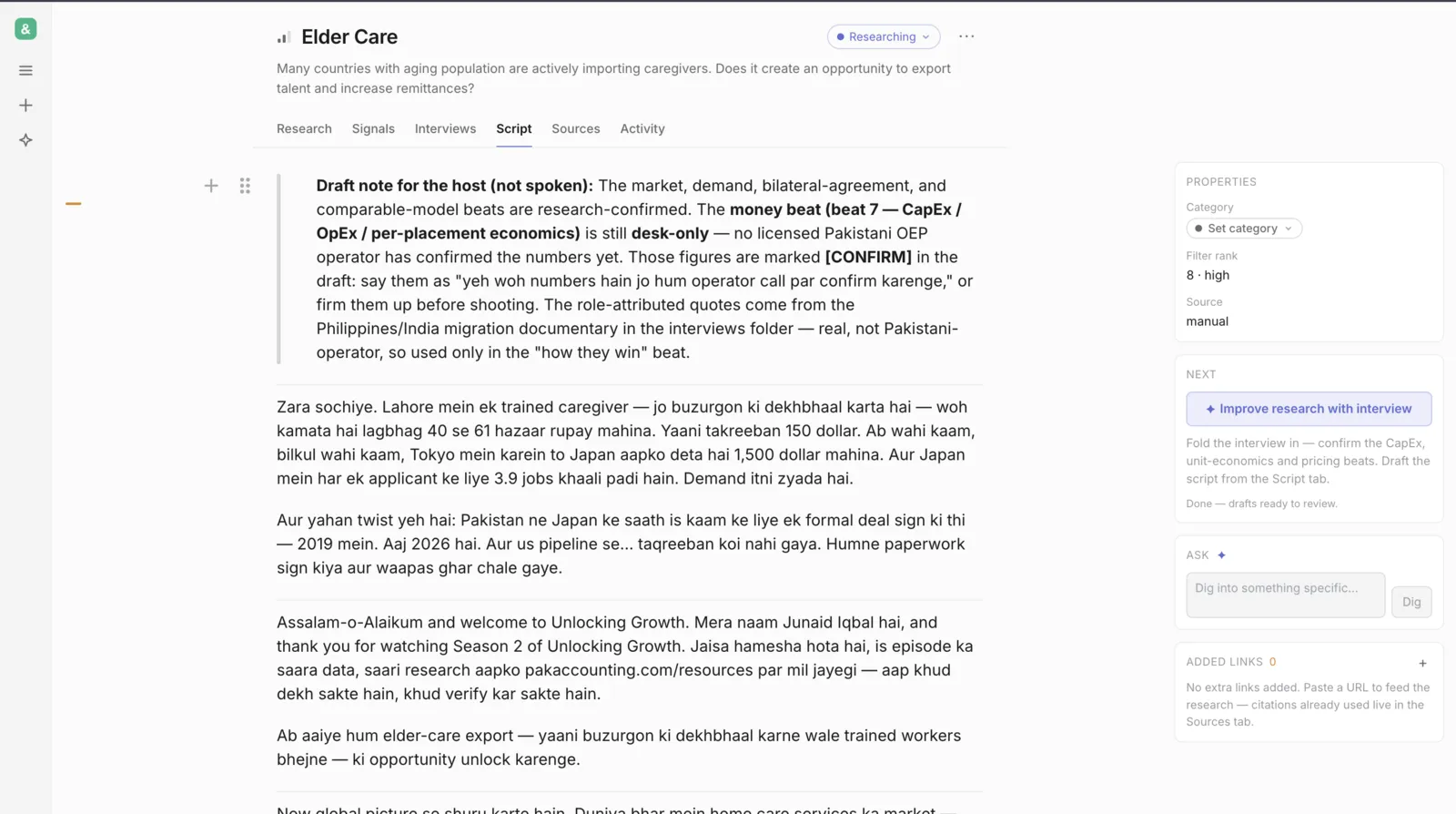
The finished draft — that's the full loop: idea → research → score → interview → enrich → review → approve → script.
The six stages
Every idea moves left to right. The right-hand Next card always tells you the one thing to do.
How approval works — important
- The AI always writes drafts. Your approved docs are never overwritten.
- When a doc looks right, approve it — that locks it (the Next card counts down "X of 4 docs need approval").
- If the AI later changes a locked doc, you see a red/green diff and choose Keep AI or Keep current.
- Wait for a run to finish and save before closing — the summary in Activity is your confirmation.
House rules (the method)
- No invented numbers. A marked
[GAP]beats a made-up figure. - Money math stays
[GAP — interview]until a real operator confirms it. - Name every company. No "several major players".
- Cite the exact page a number came from, not the site's homepage.
- FX is always 280 PKR per USD.
The AI follows these automatically — you saw it hold the line at step 7.
When something breaks
| Problem | Fix |
|---|---|
| Sign-in says access denied | Ask Muhammad to add your email |
| The email code didn't arrive | Check spam; try again after a minute, or ask Muhammad |
| A page looks stuck or blank | Refresh — nothing is lost |
| A doc won't save, says "locked" | It's approved. Reopen it from the right rail, or keep/discard the diff |
| A run seems to hang | Check the Activity tab — the live feed shows what it's doing |
Coming next — drive it from your own Claude
Once you've spent some time in the web app and it clicks, we'll switch this on for you — one person, one tool at a time. You'll be able to run the exact same pipeline by chatting with your own Claude, on the same shared data.
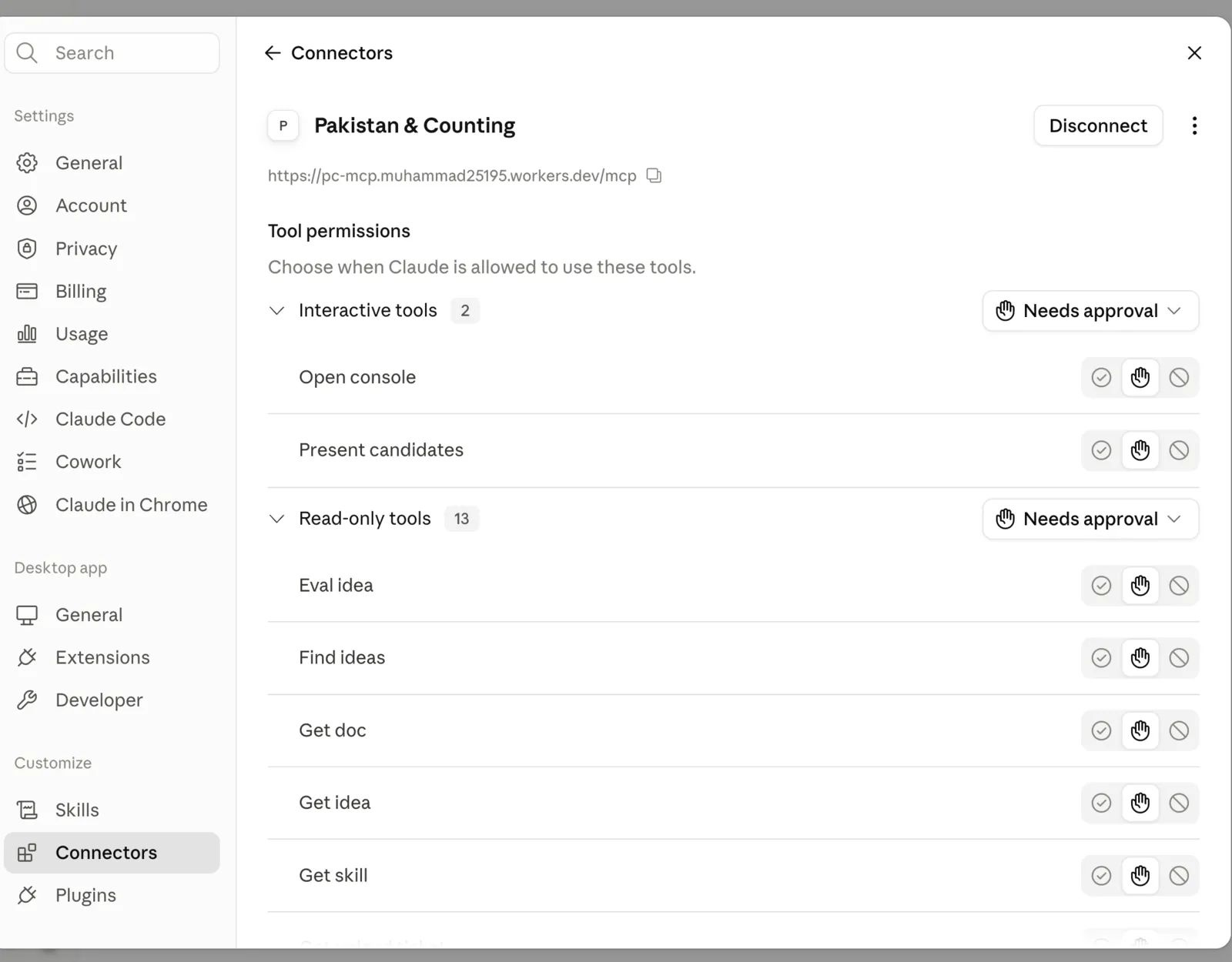
The connector, once Muhammad adds you — pre-wired with the same tools the app uses.
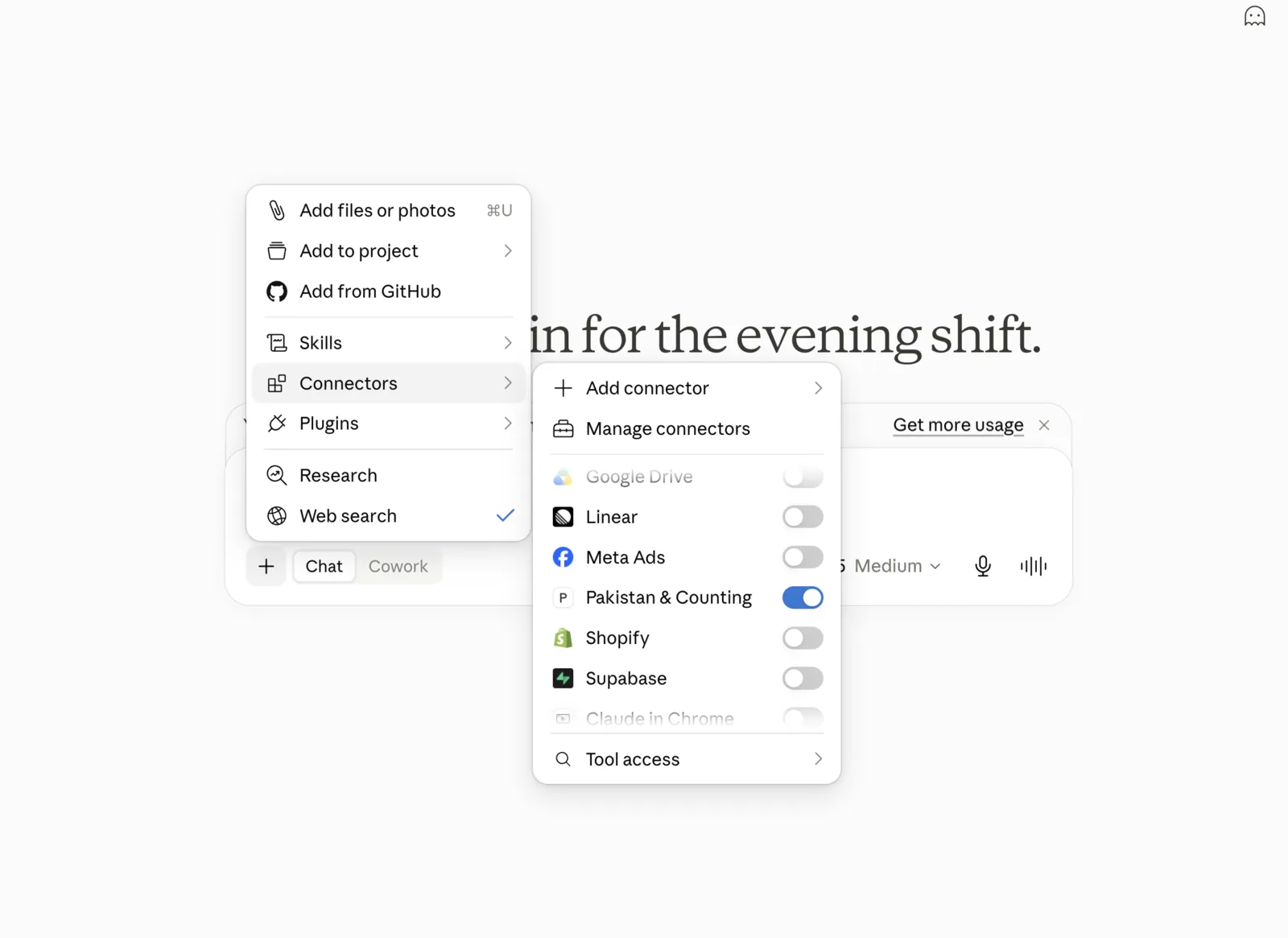
In any chat: the + menu → Connectors → toggle Pakistan & Counting on.
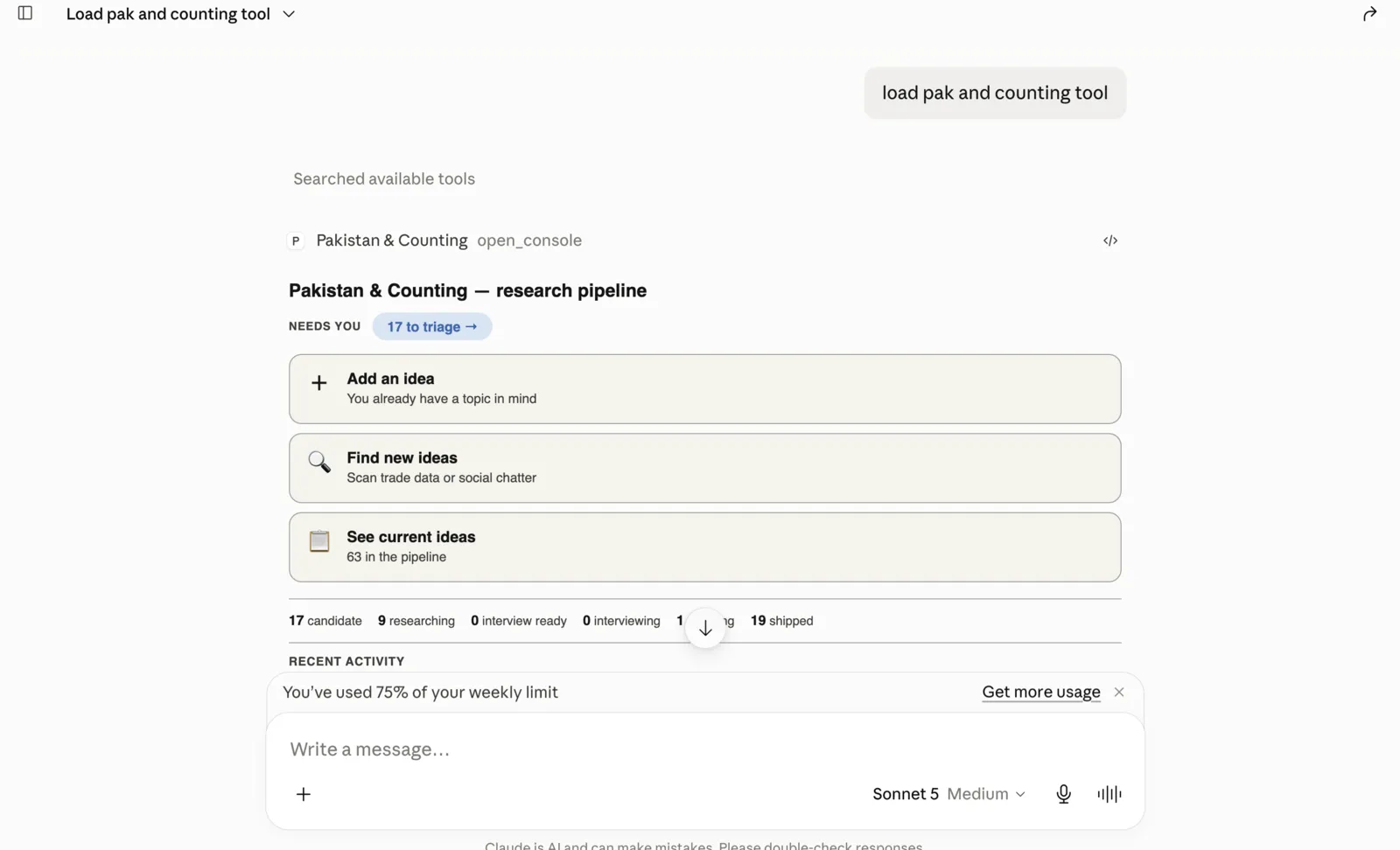
Then just say "load the Pakistan & Counting tool" — the same board opens, right in the chat.
No rush — get comfortable in the app first, then tell Muhammad you're ready and we'll go tool by tool.